
Looking for Local SEO in Swannanoa, NC?
Local SEO for Swannanoa, NC small businesses. Modern Merchant — locally based in Asheville, payments + POS + CRM + automation under one roof.

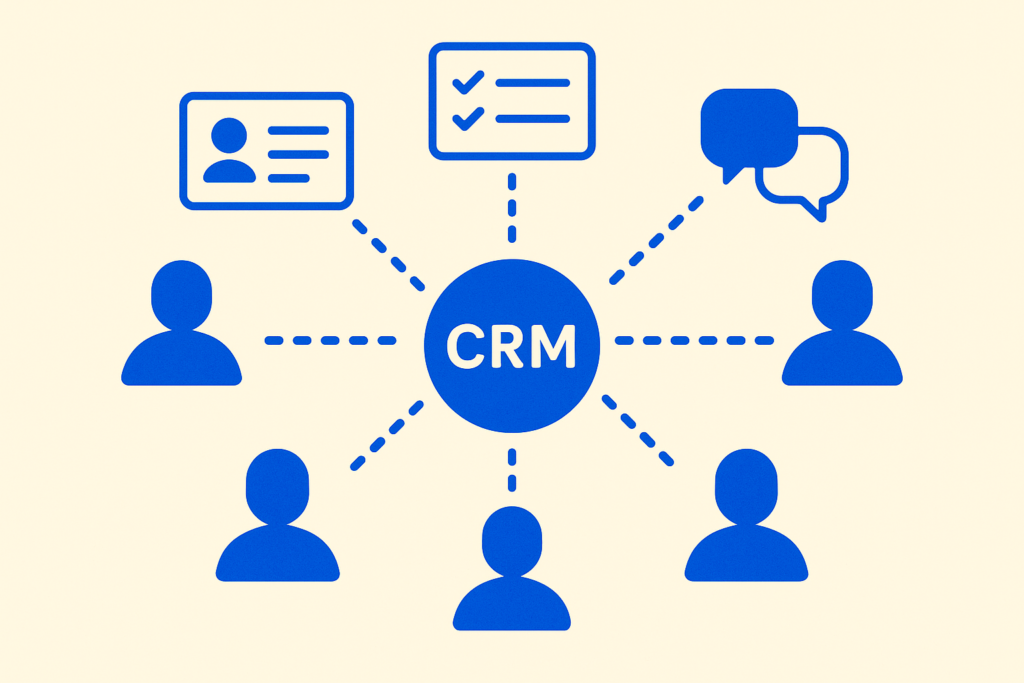

Most CRM advice for small businesses is written by people who’ve never run a 5-person service business. It’s all “implement a 360-degree customer view” and “leverage data-driven insights” and other phrases that mean nothing when you’re trying to figure out which one of you is calling the woman who left a message about a busted HVAC compressor on Saturday morning.
Here’s what running CRM-first actually looks like for a small service business — concrete workflows, not theory. The four things that have to live in the CRM, and the three things that absolutely don’t need to.
The short version: CRM-first means every customer touch (call, text, email, form fill, appointment, payment) is captured in one system, visible to everyone on your team, with clear ownership of who’s responsible for the next action. That’s it. Everything else is decoration.
If even one of these lives somewhere else, you don’t have a CRM-first operation — you have a tool with some customer data in it.
1. Every inbound communication.
Phone call (with recording or summary). Text. Email. Web form submission. DM. Voicemail. Walk-in inquiry that the front desk wrote down. All of it, in one place, attached to the customer’s contact record.
The test: when a customer calls in, can the person who answers see in 5 seconds the last 3 things that happened with this customer? If no, you don’t have a CRM-first operation.
2. Who’s responsible for the next action.
Every contact in active conversation has an “owner” — the person whose job it is to do the next thing. Not “we’ll figure out who” — a name, attached to the record.
The test: open any active customer conversation. Is there a clear “next step” with a person’s name and a date attached? If no, things are about to slip through the cracks (or they already are and you don’t know it).
3. Appointments and the lifecycle around them.
Booked. Confirmed. Reminder sent. Showed up. Service performed. Payment processed. Review requested. Repeat-booking opportunity flagged.
The test: from the customer record, can you see the entire appointment lifecycle without opening another tool? If no, you have CRM data and calendar data and they don’t talk to each other.
4. Payments and pipeline value.
What did this customer pay you? When? For what? What’s the open opportunity (proposal sent, work scoped, follow-up scheduled)?
The test: can you sort all your customers by total lifetime value? Can you see all open opportunities by close-probability? If no, you can’t do basic forecasting and you’re flying blind on what’s actually working.
These are the things people try to make their CRM do that just slow it down or duplicate other tools.
1. Project management.
If you’re running a multi-step project (renovation, custom build, implementation), use a real PM tool — Asana, ClickUp, Trello, even a Google Sheet. CRMs are built for relationships, not Gantt charts. Most CRM “project” features are afterthoughts that you’ll fight with for the rest of the engagement.
2. Accounting / bookkeeping.
QuickBooks for the books. Stripe or your processor for the payment ledger. The CRM should reference what was paid (so the customer record shows it) but shouldn’t be the authoritative source of accounting data. If your accountant pulls reports from your CRM instead of QuickBooks at year-end, something has gone wrong.
3. Marketing automation that isn’t tied to a customer record.
Brand-awareness emails to a cold list, prospecting cadences to people who’ve never engaged, social media scheduling — these can live in the CRM, but they don’t have to. If your CRM’s marketing module is more confusing than helpful, use a dedicated tool (Mailchimp for emails, Buffer for social, Apollo for prospecting) and let the CRM be the system of record for actual customer relationships.
8:00 AM — Owner opens the CRM. Sees the daily pipeline view: 3 active leads waiting on first response, 2 customers with appointments today, 1 customer who left a voicemail overnight (auto-transcribed and attached to their record). Total time to read the day: 2 minutes.
8:15 AM — Front desk takes inbound call. Customer’s record auto-pops on screen (caller ID match). They can see the last conversation was Tuesday — the customer was getting a quote on a new install. Conversation picks up where it left off, no “let me put you on hold and pull your file.”
10:30 AM — Tech finishes a service call. Marks the appointment complete in the CRM (from their phone, in the truck). System auto-fires: receipt to customer, review request 24 hours later, follow-up tagged for outreach in 6 months for next service.
1:00 PM — Owner runs the “leads waiting >24 hours” report. Sees one slipped through the cracks (sales rep was on vacation). Reassigns to themselves, follows up personally. Lead recovered.
3:30 PM — Customer fires off a text complaint about scheduling. Routed to the CRM, tagged “complaint,” front desk sees it within 5 minutes, owner is notified, response goes out in under 30 minutes. Customer is mollified before they had time to leave a 1-star review.
5:00 PM — Owner closes the day with the dashboard: all leads in active conversation, no open complaints, tomorrow’s appointments confirmed. Goes home actually able to disconnect.
That’s CRM-first. None of the steps required new technology — they required all the existing tools to talk to each other through one system.
Modern Merchant Hub is built for exactly this profile of business — 1 to 30 employees, service-driven, phone-and-text-driven customer relationships. Everything above is configured during the first 2 weeks of onboarding:
What you DON’T get: a CRM that tries to be your accounting system, your project manager, and your marketing department. Those should be separate tools that talk to the CRM through clean integrations.
If your team is currently juggling 5–7 disconnected tools to do what’s described above — that’s the problem CRM-first solves. The savings aren’t just in software costs. They’re in the leads that stop slipping, the customers who get faster responses, and the owner who stops carrying every detail in their head.
Book a Modern Merchant Hub walkthrough →
Roughly 1 to 30 employees, with phone and text as primary customer channels. Below 1 employee (solopreneur), a simpler tool like Streak or HubSpot Free might be enough. Above 30 employees, you’ll likely need a tier of CRM with deeper customization (Salesforce or HubSpot Enterprise).
Two weeks of onboarding for the system, plus 30–60 days for your team to fully adopt the workflow. Most of the time is the team adoption, not the configuration. Businesses that have an owner who actively uses the CRM themselves get to “fully adopted” much faster than ones where the owner delegates the whole thing to a manager.
No. Modern Merchant Hub imports from CSV, from QuickBooks, from your existing processor’s customer list, from Google Contacts, or via direct API from most other CRMs. Migration takes a few hours, not weeks.
Yes. The mobile app handles all the daily workflow — inbound communication, appointment management, contact lookup, payment status. Most of our service-business clients run 70%+ of their customer interactions from phones (techs in the field, owners between meetings).
Some get replaced (you can probably eliminate Mailchimp + Calendly + a separate review tool). Some integrate (QuickBooks for accounting, Stripe for payment processing, your existing booking site if you have one). The goal is fewer tools, not zero — just none that duplicate each other.
Modern Merchant Hub is GoHighLevel under the hood — but configured out of the box for small service businesses (vs. a blank-slate platform you have to set up yourself), with locally based support (we’re in Asheville, you can call us), and bundled with the payment processing + POS work we already do. For a service business that’s never set up a CRM before, it removes the “where do I even start” friction that kills most CRM rollouts.
Modern Merchant Hub is our white-labeled CRM and automation platform — built on GoHighLevel, configured for small service businesses, supported locally. We deploy it as part of full-stack engagements with payment processing, POS, and marketing automation. Book a Discovery Call →
Local SEO for Swannanoa, NC small businesses. Modern Merchant — locally based in Asheville, payments + POS + CRM + automation under one roof.
Web design for Swannanoa, NC small businesses. Modern Merchant — locally based in Asheville, payments + POS + CRM + automation under one roof.
POS systems for Swannanoa, NC small businesses. Modern Merchant — locally based in Asheville, payments + POS + CRM + automation under one roof.
Credit card processing for Swannanoa, NC small businesses. Modern Merchant — locally based in Asheville, payments + POS + CRM + automation under one roof.
Local SEO for Marion, NC small businesses. Modern Merchant — locally based in Asheville, payments + POS + CRM + automation under one roof.
Web design for Marion, NC small businesses. Modern Merchant — locally based in Asheville, payments + POS + CRM + automation under one roof.